

TL;DR:
- A clear, repeatable webinar workflow ensures accurate credit tracking and compliance.
- Preparing accounts, identifying credit gaps, and selecting accredited providers streamline the learning process.
- Active participation and timely certificate management maximize professional development and project benefits.
Imagine it’s the end of the quarter and you realize you’re still short on AIA Learning Units (LUs) or RCEP Professional Development Hours (PDHs). You’ve attended a few webinars, but you can’t find the certificates, you’re unsure which sessions were accredited, and your transcript looks nothing like your actual effort. This scenario plays out more often than most architects and engineers care to admit. The good news is that a clear, repeatable webinar workflow solves all of it. This guide walks you through every step, from choosing the right platform to downloading your certificate, so you can stay compliant and actually improve your project specifications along the way.
Table of Contents
- Understanding webinar workflows for continuing education credits
- Preparing for a successful architectural webinar workflow
- Step-by-step: Earning AIA or RCEP credits through webinars
- Troubleshooting and optimizing your workflow
- Why mastering the workflow matters more than you think
- Explore top webinars and workflow solutions
- Frequently asked questions
Key Takeaways
| Point | Details |
|---|---|
| Choose the right platform | Opt for accredited webinar providers that automatically report credits to AIA or RCEP when possible. |
| Follow each workflow step | Prepare accounts and materials, engage during sessions, and complete required polls or quizzes for credit. |
| Download certificates immediately | Secure your completion proof right after each webinar and maintain your own log for compliance. |
| Integrate spec improvements | Select webinar topics that address both credit needs and real project specification challenges. |
| Troubleshoot common issues | Know how to resolve missed polls or platform glitches to avoid missing out on earned credits. |
Understanding webinar workflows for continuing education credits
Now that you know what’s at stake, let’s break down how webinars actually work for credit requirements. The first thing to understand is that not all webinars are created equal, and the format you choose shapes your entire workflow.
Live webinars run on a fixed schedule and typically include real-time interaction through chat, Q&A sessions, and polling. They’re ideal if you want direct access to presenters or enjoy the accountability of a set time block. The trade-off is obvious: you have to show up at a specific hour, which doesn’t always fit a project-heavy week.
On-demand webinars are the format most architects and engineers gravitate toward, and for good reason. You can access them any time, pause when a client calls, and finish at midnight if that’s what your schedule demands. Choosing an accredited provider is non-negotiable. Platforms like GreenCE are registered with the American Institute of Architects and recognized by RCEP, meaning your completions count without extra paperwork. Exploring sustainable architecture webinars is a smart way to combine credit hours with topics that directly inform your project decisions.
Here’s a quick comparison to help you decide which format fits your workflow:
| Feature | Live webinar | On-demand webinar |
|---|---|---|
| Scheduling | Fixed date and time | Anytime, 24/7 |
| Interaction | Real-time chat, Q&A | Pre-recorded, no live chat |
| Engagement requirement | Polls during session | Quizzes after viewing |
| Certificate delivery | Emailed post-event | Immediate download or auto-submit |
| Best for | Networking, new topics | Flexibility, busy schedules |
Key platforms worth bookmarking include:
- GreenCE : Largest free provider of GBCI credits and offers AIA credits
- AIAU: AIA’s own learning platform, directly tied to your AIA transcript
- Ron Blank & Associates: Curated courses for architects, engineers, and interior designers
Understanding these mechanics upfront saves you from the frustrating experience of completing a webinar only to discover it doesn’t count toward your specific requirement.
Preparing for a successful architectural webinar workflow
Understanding your options is crucial, and preparation is just as important for a seamless experience. Before you click “register” on anything, take 20 minutes to set up the foundation.
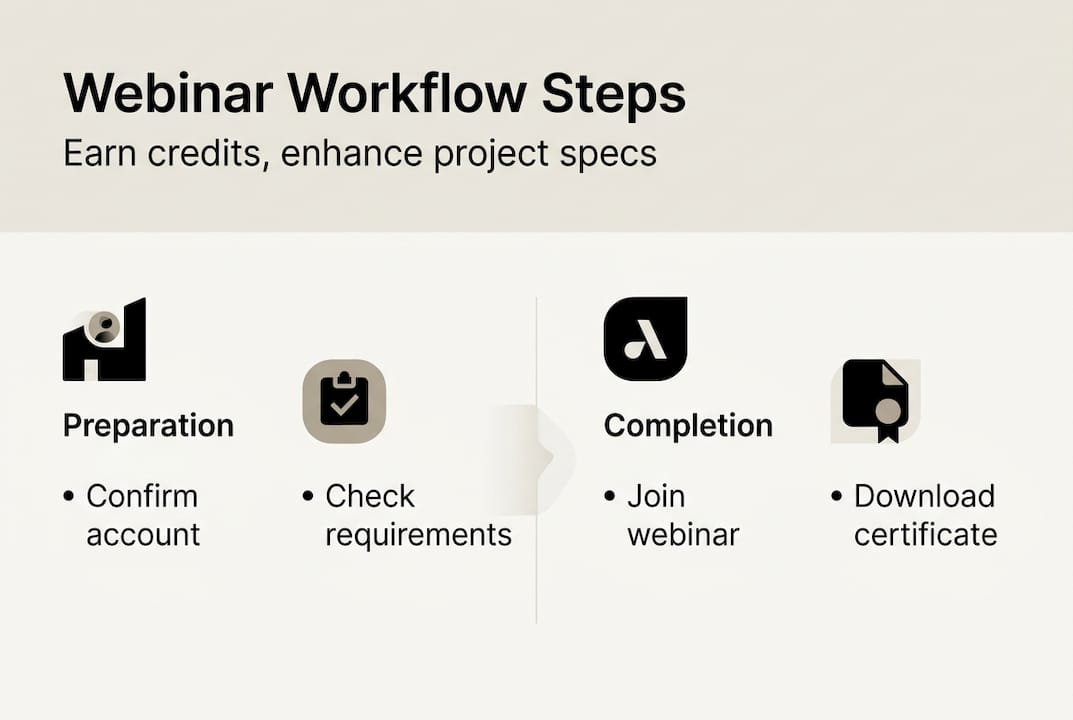
Step 1: Confirm your accounts. Log into your AIA account and verify your transcript is active. If you earn RCEP PDH credits, confirm your profile is current with your state licensing board. Many engineers skip this step and then scramble when a certificate doesn’t auto-populate.
Step 2: Identify your credit gaps. Pull your current transcript and note exactly how many LUs or PDHs you still need, and whether any must cover health, safety, and welfare (HSW) topics. This narrows your course search considerably.
Step 3: Search accredited providers. Use filters to find courses matching your gap. View the live or on-demand webinar, meet the viewing criteria, pass any quiz or polling requirement, and download your PDH certificate immediately.
Step 4: Register and block your calendar. For live events, add a calendar block with a 10-minute buffer before start time. For on-demand, schedule a dedicated viewing window rather than assuming you’ll “get to it.”

Step 5: Prepare your environment. A stable internet connection, a device with updated browser software, and a quiet space are the basics. Some platforms require specific browsers or plugins, so check the technical requirements page before the day of the session.
Pro Tip: Always verify that the presenter’s credentials and the course accreditation number appear in the course description before registering. A missing accreditation number is a red flag that the course may not qualify for your specific credit type.
If your firm manages credits for multiple team members, consider exploring a structured learning management system to centralize tracking and reduce administrative overhead.
| Provider | Credit types | Account required | Auto-reporting |
|---|---|---|---|
| GreenCE | AIA LU, RCEP PDH, GBCI | Yes, free | Yes |
| CE Academy | RCEP PDH, AIA LU, GBCI | Yes, free | Yes |
| AIAU | AIA LU | AIA membership | Yes |
| Ron Blank & Associates | AIA LU, multiple | Yes | Yes |
Step-by-step: Earning AIA or RCEP credits through webinars
With everything in place, it’s time to complete the webinar process and secure your professional credits. Here’s the exact workflow, step by step.
- Log in to the platform at least five minutes early for live events, or open the on-demand course link and confirm it loads fully before starting.
- Confirm the event details, including the credit type (LU or PDH), the number of hours offered, and whether HSW designation applies.
- Participate actively. For live sessions, respond to every poll and monitor the chat for Q&A prompts. For on-demand, watch the full video without skipping segments, as most platforms track viewing progress.
- Pass the quiz or assessment. Most providers require a passing score, typically 70% or higher, before releasing your certificate.
- Download or save your certificate immediately. Don’t wait. File it in a dedicated folder labeled by year and credit type.
- Verify the credit appeared in your transcript within 48 to 72 hours, especially for platforms that auto-submit to AIA.
Engagement is not optional. It’s the mechanism that triggers credit release. Common engagement types include:
- Attendance polls (live events, usually every 15 to 20 minutes)
- End-of-session quizzes (on-demand and live)
- Chat-based Q&A participation (live events)
- Viewing percentage thresholds (on-demand, typically 90% or more)
The scale of participation in this space is significant. Thousands of registrants have used GreenCE’s webinar programs since launch and most webinars award one AIA LU per contact hour. That volume tells you the system works when you follow the process.
Pro Tip: Set a phone reminder 30 minutes before any live webinar and block the full session duration in your calendar as “busy.” Missing the first poll in a live event can disqualify you from receiving credit for the entire session, even if you watched the rest.
For a broader look at how continuing education requirements are structured across different professional designations, it’s worth reviewing the specific rules for your state and license type before each renewal cycle.
Troubleshooting and optimizing your workflow
Even with a solid plan, issues can arise. Here’s how to overcome them and make the most of your webinar journey.
Common problems and their fixes:
- Missed a poll during a live session: Contact the provider immediately. Some will allow you to retake the course on-demand, but most cannot retroactively award credit for incomplete engagement.
- Course repetition error: You registered for a webinar you already completed. Most platforms flag this, but double-check your transcript before registering for any course you’ve taken in the past.
- Browser or plugin failure: Test your setup the day before a live event. Clear your cache, update your browser, and disable ad-blockers that sometimes interfere with polling tools.
- Certificate not received: Check your spam folder first, then log into the platform’s course history. If it’s still missing after 72 hours, contact provider support with your completion timestamp.
- Credit not appearing in AIA transcript: Allow up to five business days for auto-submissions. If it’s still absent, manually upload your certificate through the AIA’s Continuing Education System (CES) portal.
Beyond compliance, the smartest architects and engineers use webinar topic selection as a strategic tool. GreenCE and CE Academy integrate specification improvement topics, including materials science, building information modeling (BIM), and product performance data, directly into their course catalogs. Choosing courses in these areas means you earn credits and sharpen the specification skills that make your projects better.
“The professionals who get the most out of continuing education aren’t just checking a compliance box. They’re using every webinar as a chance to solve a real problem they’re facing on a current project. That mindset shift changes everything.”
Maintain a personal credit log in a simple spreadsheet: course title, provider, date, credit type, hours, and certificate file name. This takes two minutes per course and saves hours of scrambling at renewal time. Think of it as your professional insurance policy.
For teams working on complex deliverables, aligning webinar topics with active project phases, such as taking a product visualization workflow course during a design development phase, multiplies the return on your learning investment.
Why mastering the workflow matters more than you think
Here’s an honest take: doing the bare minimum to maintain your license is a perfectly valid choice, but it’s also a missed opportunity. We’ve seen architects and engineers treat continuing education as an annual chore, clicking through courses at the last minute just to hit the number. That approach keeps your license active, but it doesn’t move your practice forward.
The professionals who build genuinely efficient webinar workflows end up doing something more valuable. They stop reacting to credit deadlines and start using their learning hours intentionally. They pick courses that address real gaps in their specification knowledge, whether that’s understanding a new roofing system, a sustainable glazing product, or updated accessibility standards.
When your workflow is tight, you waste less time hunting for certificates, you avoid duplicate registrations, and your team’s specification process actually improves. That’s not a side benefit. That’s the whole point. Owning your workflow means owning your professional growth, and that’s worth far more than the credit hours alone.
Explore top webinars and workflow solutions
Ready to put your workflow to work? Here’s a shortcut to the best resources available for architects and engineers in 2026.

The Ron Blank webinar platform offers a curated library of AIA-registered online courses, webinars, and podcasts designed specifically for architects, engineers, interior designers, and contractors. Every course is built to deliver genuine specification value alongside your required credits. Whether you need HSW hours, general LUs, or PDHs for RCEP, you’ll find accredited options that fit your schedule and your project needs. Explore the platform today and take the guesswork out of your annual credit workflow.
Frequently asked questions
How do I know if a webinar counts for AIA or RCEP credits?
Check the provider’s accreditation status before registering. Platforms like AEC Daily auto-submit completions to AIA and RCEP, and they clearly list which credit types each course satisfies on the course description page.
Can I repeat the same webinar for credit each year?
No. Each course only counts once toward your continuing education requirements. GFT’s platform and most other providers flag repeated courses and will not issue additional credit for a webinar you’ve already completed.
How quickly can I access my certificate after completing a webinar?
Most on-demand platforms offer immediate certificate download upon passing the final assessment. AEC Daily auto-submits credits directly to your AIA transcript, while others email your PDH certificate within minutes of completion.
How many continuing education hours do I need each year?
AIA generally requires between 18 and 24 learning units annually depending on your state, and RCEP PDH requirements vary by state licensing board. Check GFT’s requirements guide and your state board’s website to confirm your specific annual obligation.