

Managing professional credentials in the architecture and design industry comes with ongoing demands for continuing education. For busy architects and interior designers, navigating AIA and IDCEC credit requirements can quickly become overwhelming. By leveraging accessible online webinars and verified registration processes, you can streamline your credit tracking while focusing on subjects that advance both compliance and expertise. This guide breaks down each step to help you maintain your credentials confidently and efficiently.
Table of Contents
- Step 1: Gather Your Continuing Education Requirements
- Step 2: Browse Available Webinars For Architects And Designers
- Step 3: Select Your Webinar And Enter Registration Details
- Step 4: Review Registration Confirmation And Technical Requirements
- Step 5: Verify Successful Enrollment For Your Webinar
Quick Summary
| Key Insight | Explanation |
| 1. Track Continuing Education Credits | Regularly monitor your credits to avoid last-minute rushing when renewing professional credentials. |
| 2. Utilize Reputable Webinar Platforms | Choose webinars from established sources to ensure you gain verifiable continuing education credits. |
| 3. Verify Registration Details | Carefully check registration confirmations to ensure accurate credit reporting for completed courses. |
| 4. Conduct Technical Checks Before Webinars | Test your internet connection and equipment beforehand to prevent disruptions during the session. |
| 5. Create a Dedicated Documentation System | Maintain organized records of registrations and certificates for easy access and tracking of credits. |
Step 1: Gather your continuing education requirements
Architects seeking to maintain their professional credentials must track and complete continuing education credits for the American Institute of Architects (AIA). Understanding your specific annual credit requirements is the critical first step in managing your professional development.
To effectively gather your CE requirements, you’ll want to break down the process into clear steps:
- Check your current AIA membership status
- Review the required number of credits for your specific membership level
- Determine which credit types (health/safety, sustainable design, professional practice) you need
- Identify any state-specific licensing requirements that might impact your credits
AIA members need 18 continuing education hours annually. The AIA continuing education guidelines provide comprehensive details about credit specifications and reporting requirements.
Tracking your credits requires systematic documentation. Maintain a detailed spreadsheet or utilize AIA’s online tracking systems to log webinars, conferences, and professional development courses you complete throughout the year.
Consistently documenting your educational activities prevents last-minute credit scrambling at renewal time.
Pro tip: Start tracking your continuing education credits at the beginning of each licensing cycle to ensure smooth professional credential maintenance.
Step 2: Browse available webinars for architects and designers
Exploring continuing education webinars requires strategic navigation through multiple platforms to find high-quality learning opportunities that meet your professional development requirements. Understanding where and how to search for these valuable resources can save you significant time and effort.
When browsing webinars, architects and designers should focus on several key platforms:
- AIA’s official continuing education portal
- Professional design association websites
- Manufacturer-sponsored educational platforms
- Online learning management systems specializing in architecture and design
- State licensing board recommended educational resources
Each platform offers unique advantages. The AIA learning resources provide comprehensive collections of approved courses across various specializations, ensuring you can find credits tailored to your specific professional interests and requirements.

Here’s how key continuing education platforms for architects compare:
| Platform Type | Primary Benefit | Typical Course Focus |
| AIA Portal | Verified credit tracking | Health/safety, professional practice |
| Professional Associations | Broad design topics | Networking, specialization |
| Manufacturer-Sponsored | Product application knowledge | Materials, sustainable design |
| Learning Management Systems | Flexible course options | On-demand technical skills |
| State Licensing Boards | Regulatory compliance | State-specific requirements |
Effective webinar searching involves filtering options strategically. Look for courses that not only meet your credit requirements but also align with your professional development goals, such as emerging design technologies, sustainability practices, or specialized technical skills.
Not all webinars are created equal – prioritize courses from reputable sources that offer verifiable continuing education credits.
Most online platforms allow you to filter webinars by:
- Credit type (health/safety, sustainable design)
- Duration
- Professional specialization
- Upcoming schedule
- Price point
Pro tip: Create a dedicated email folder for webinar confirmations and certificates to streamline your credit tracking process.
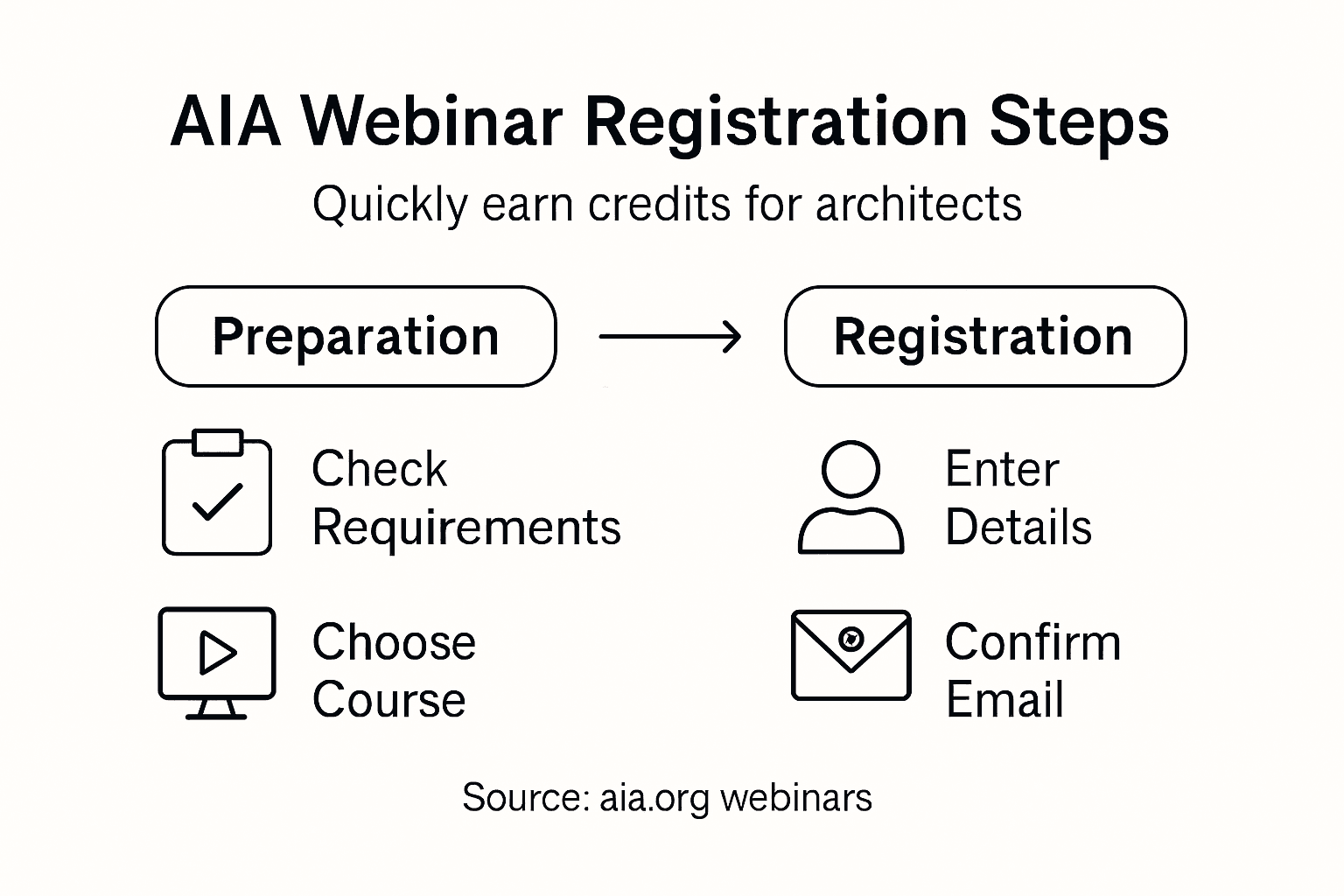
Step 3: Select your webinar and enter registration details
Selecting the right webinar and completing registration requires careful attention to detail to ensure you maximize your continuing education credits and professional development opportunities. Your goal is to streamline the process of finding and registering for an appropriate course that meets your specific professional requirements.
When selecting a webinar, pay close attention to several critical registration elements:
- Verify the total number of credit hours offered
- Confirm the webinar aligns with your specific licensing requirements
- Check the presenter’s credentials and professional background
- Review the detailed course description and learning objectives
- Ensure the session fits your current schedule
The AIA course registration process involves providing specific professional details to guarantee accurate credit tracking. Most platforms will require you to enter:
- Full professional name
- AIA membership number
- Email address
- Professional contact information
- Payment method (if applicable)
Professional webinar platforms typically offer multiple registration options, including live sessions, on-demand recordings, and interactive online experiences. Some providers allow you to select specific date and time slots that accommodate your schedule.
Accurate registration information is crucial for ensuring proper credit reporting and professional record maintenance.
Most online registration systems will send an immediate confirmation email with important session details including:
- Unique registration confirmation number
- Session access instructions
- Login credentials
- Credit verification process
Pro tip: Screenshot your registration confirmation and save digital copies of all webinar completion certificates in a dedicated professional development folder.
Step 4: Review registration confirmation and technical requirements
After registering for a webinar, carefully reviewing your confirmation details and ensuring you meet the technical participation requirements is crucial for a smooth learning experience. This step helps prevent last-minute technical challenges that could interrupt your continuing education session.
Key elements to verify in your registration confirmation include:
- Exact webinar date and time
- Session duration
- Login credentials
- Unique registration identification number
- Specific web platform being used
The webinar technical access requirements typically involve checking your computer and internet setup. Most online learning platforms require:
- High-speed internet connection
- Updated web browser
- Compatible device (desktop/laptop/tablet)
- Minimum system requirements
- Working audio/video capabilities
Professional webinar platforms often provide detailed technical checklists to help participants prepare. These guidelines ensure you can fully engage with the course content without experiencing connectivity or access issues.
Technical preparedness is your gateway to uninterrupted professional learning.
Additional preparation steps include:
Below is a summary of technical preparation steps and their benefits before participating in a webinar:
| Technical Step | Purpose | Benefit to Participant |
| Speed Test | Ensure stable connection | Prevents disconnection issues |
| Audio/Video Check | Confirm communication tools | Enables interactive sessions |
| Software Installation | Meet platform requirements | Guarantees seamless access |
| Calendar Reminder | Time management | Reduces risk of missing session |
- Testing your internet connection speed
- Checking audio and video settings
- Downloading any required software plugins
- Having headphones or speakers ready
- Clearing browser cache and cookies
Pro tip: Conduct a technical test run 24 hours before the webinar to identify and resolve any potential connectivity problems.
Step 5: Verify successful enrollment for your webinar
Confirming your successful webinar enrollment is a critical step in ensuring you will receive the continuing education credits you need for your professional development. Careful verification helps prevent potential registration issues that could compromise your educational goals.
To confirm your enrollment, carefully review multiple verification channels:
- Check your email inbox for confirmation messages
- Review spam/junk folders for missed communications
- Log into the webinar platform’s registration portal
- Verify your registration status on the provider’s website
- Cross-reference confirmation details with your personal records
Key enrollment verification elements to examine include:
- Confirmation email with unique registration number
- Session date and time details
- Credit hours to be awarded
- Login instructions
- Technical access requirements
Most professional continuing education platforms provide multiple confirmation touchpointsto ensure participants are fully registered. This typically involves automated email confirmations, online dashboard updates, and sometimes direct phone or email verification.
Successful enrollment verification protects your professional credit tracking and learning investment.
Additional recommended verification steps:
- Screenshot confirmation pages
- Save all registration correspondence
- Add webinar details to your professional calendar
- Note the customer support contact information
- Confirm credit reporting mechanisms
Pro tip: Create a dedicated digital folder for each continuing education course to centralize all registration and credit documentation.
Simplify Your AIA Continuing Education Journey with Expert Online Courses
Navigating the process of registering for webinars to earn AIA credits can feel overwhelming. From tracking specific credit hour requirements to confirming successful enrollment and meeting technical needs, architects and designers often face challenges in managing their continuing education efficiently. If you want to avoid late scrambling and ensure your professional development aligns perfectly with AIA standards and licensing demands, you need a trusted partner offering comprehensive, easy-to-access learning solutions.

Discover how Ron Blank and Associates can help you seamlessly fulfill your continuing education requirements through expertly developed online courses and webinars. Our educational programs are registered with the American Institute of Architects to guarantee proper credit delivery. Whether you prefer interactive webinars, on-demand videos, or face-to-face instruction, our offerings are designed to save you time and reduce registration frustrations while keeping you on track with your professional goals. Start your smooth AIA credit journey today by visiting our continuing education page and experience a simpler path to professional growth.
Frequently Asked Questions
How can I check my AIA membership status before registering for webinars?
To check your AIA membership status, log into the AIA official website with your credentials. This ensures you know your current membership level and any specific credit requirements you must fulfill.
What types of credits should I look for when choosing a continuing education webinar?
When selecting a webinar, focus on the types of credits needed for your professional development, such as health and safety, sustainable design, or professional practice. Make sure the webinar offers credits that align with your licensing needs and personal growth goals.
What details do I need to provide when registering for a webinar?
When registering for a webinar, you typically need to provide your full professional name, AIA membership number, email address, and contact information. Gather this information before starting your registration to streamline the process.
How do I confirm my enrollment in a webinar?
To confirm your enrollment, check your email for a confirmation message that includes your registration number and session details. Also, log into the registration portal to verify your status.
What technical requirements should I meet before attending a webinar?
Ensure you have a high-speed internet connection, a compatible device, and updated software to access the webinar platform. Perform a technical check 24 hours prior to the session to avoid any connectivity issues.
How can I keep track of my continuing education credits after attending a webinar?
Maintain a detailed spreadsheet or use an online tracking system to log your completed webinars and credits. Securely save all confirmation emails and completion certificates to ensure you have a comprehensive record of your professional development activities.